

Why SSDs Are Harder to Destroy Than Traditional Hard Drives: What IT Managers Need to Know Before Your Next Device Refresh
When most IT managers think about end-of-life device security, the mental image is still the same: a hard drive going into a degausser or a shredder, a certificate of destruction landing in the compliance folder, and the job is done. That picture made sense for the last two decades. It no longer does.
SSDs now dominate enterprise hardware. Laptops, servers, workstations, and even many external storage devices ship with solid-state storage by default. The performance gains are real and well-documented. The data security implications at end of life are not as well understood, and that gap is where liability lives.
The core problem is architectural. SSDs do not store data the way traditional hard disk drives (HDDs) do, and the destruction methods built around magnetic media simply do not work on flash-based storage. An SSD that has been degaussed, subjected to a basic wipe, or run through a standard HDD shredder may look destroyed. The data on its chips may be entirely intact.
This article breaks down exactly why SSD vs HDD data destruction is not the same challenge, what NIST 800-88 requires for solid-state media, and what certified physical destruction actually looks like. If your organization is heading into a device refresh cycle, this is the compliance and security briefing your team needs before a single drive leaves the building.
How SSD Architecture Creates Unique Data Security Risks
Flash Memory Does Not Work Like Magnetic Storage
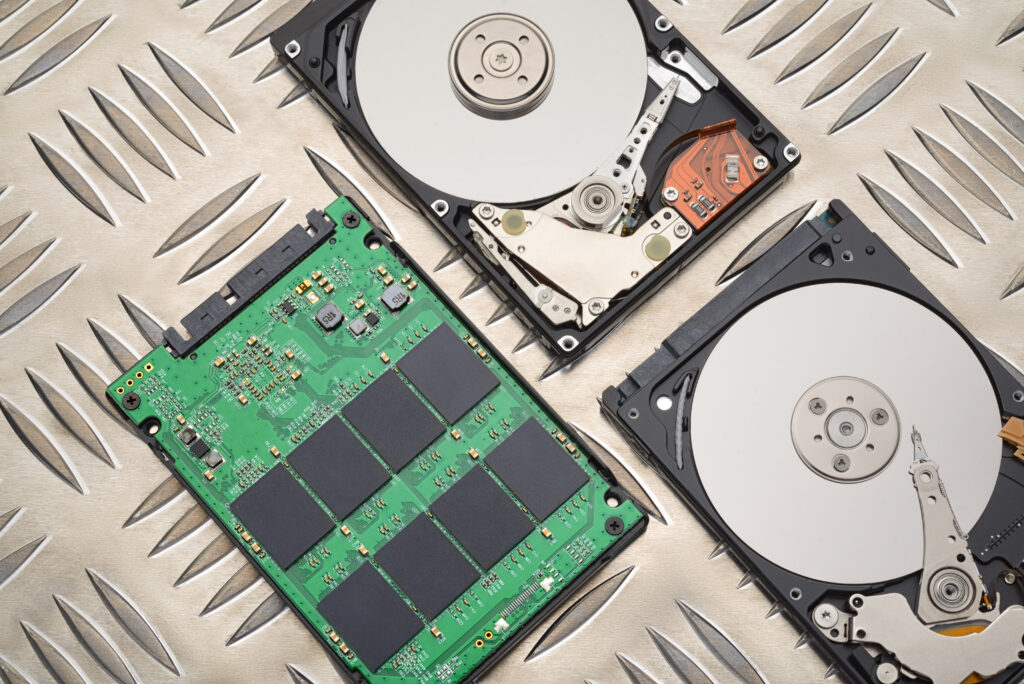
Traditional hard drives store data as magnetic patterns on spinning platters. When you overwrite or degauss those platters, the physical state of the medium changes. The old data is gone, or close enough to gone that recovery is not practical without extreme forensic resources.
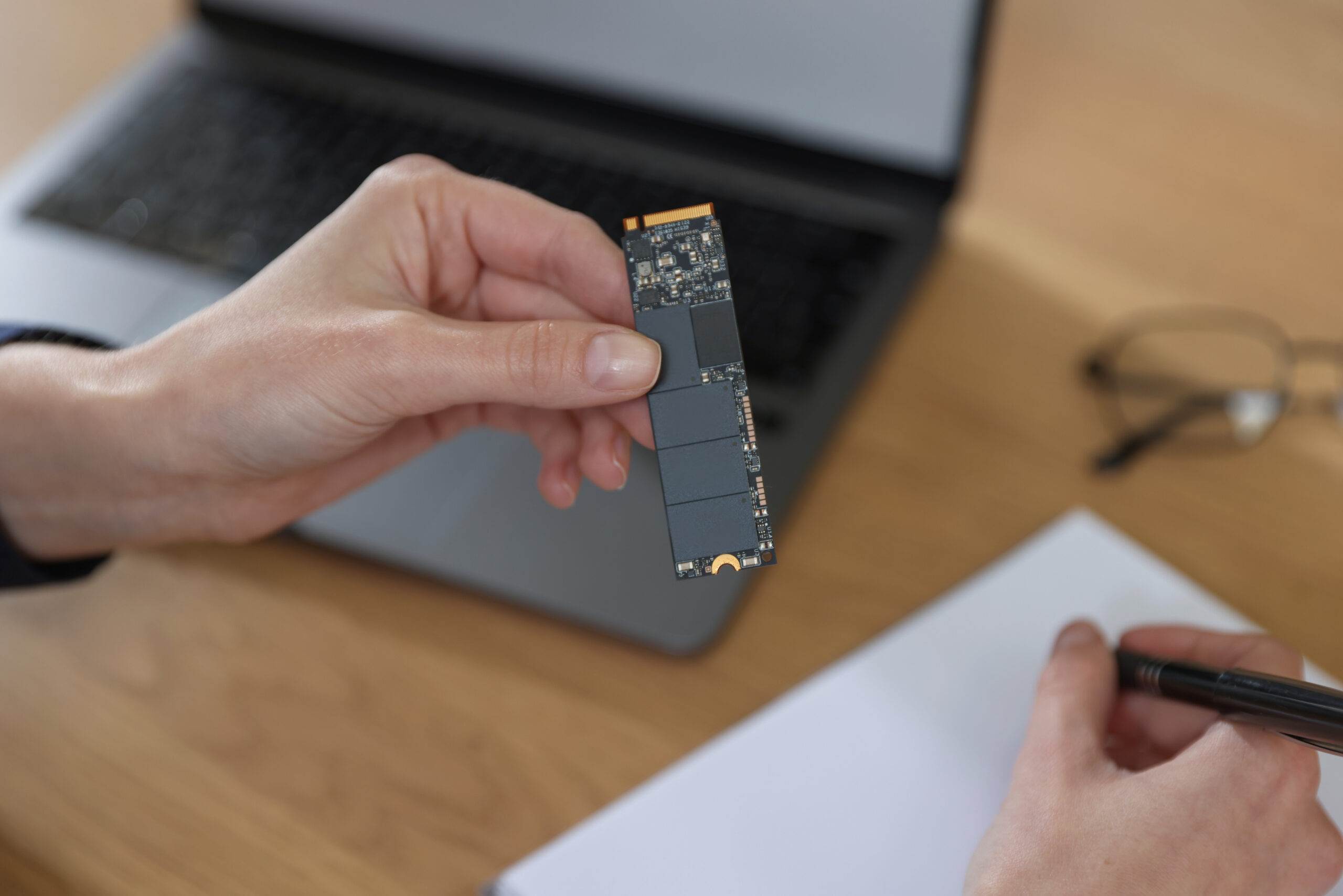
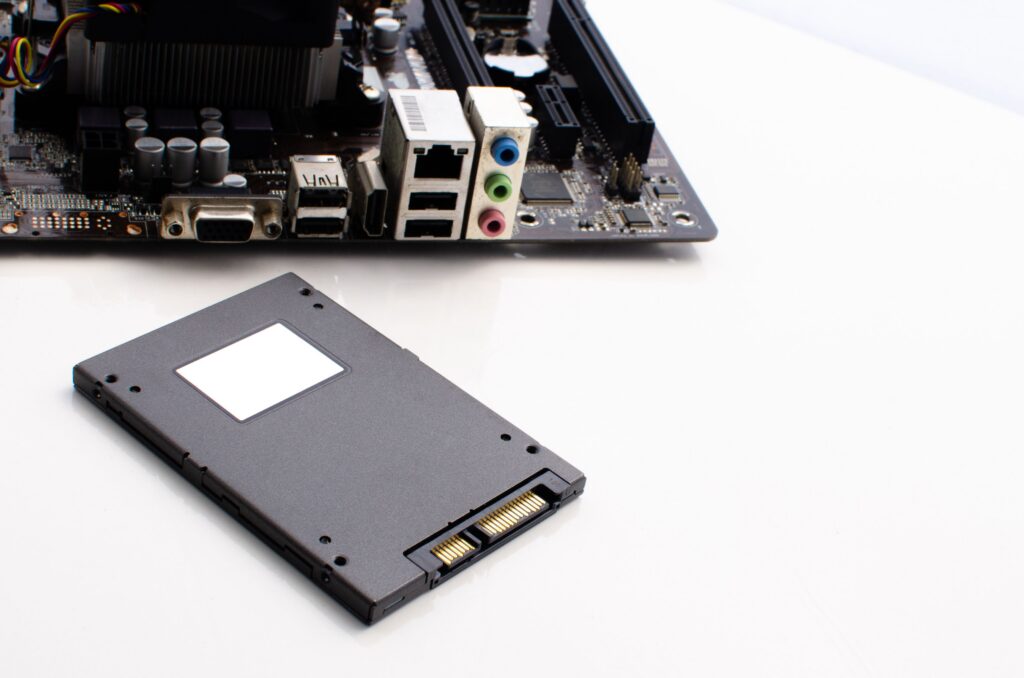
SSDs store data as electrical charges in NAND flash memory cells. There are no spinning parts, no magnetic domains, and no platters. The drive is, at its core, a collection of integrated circuit chips. This changes everything about how data is written, managed, and, critically, how it must be destroyed.
SSD Wear Leveling and Data Security
One of the central reasons SSD wear leveling creates data security risks is a feature called wear leveling. Flash memory cells degrade with repeated writes, so the drive’s controller deliberately distributes write operations across the entire physical memory to extend the lifespan of the drive. This is good for hardware longevity. It is a serious complication for data sanitization.
When you instruct an SSD to overwrite a file, the controller does not necessarily write the new data to the same physical location the old data occupied. Instead, it writes to a clean block and marks the old block as available. The original data remains physically present on the chip until the controller decides to clear that block, which may happen during background garbage collection, or may not happen at all before the drive leaves your facility.
The practical consequence is that a standard software overwrite, even a multi-pass overwrite designed for HDDs, cannot guarantee that all data on an SSD has been reached. The controller’s wear leveling algorithm works between your overwrite command and the physical memory, and the data that was moved or deferred may never be touched.
SSD Over-Provisioning and Hidden Storage
SSD over-provisioning creates an additional data security risk that is invisible to operating systems and most destruction software. Manufacturers reserve a portion of the drive’s total flash memory, typically between seven and twenty-eight percent, as a hidden working area that the host system cannot address. This reserved space supports wear leveling, garbage collection, and bad block management.
Because this area is not accessible to the operating system, standard wipe tools and overwrite utilities cannot reach it. Data fragments can persist in the over-provisioned region indefinitely, even after a software-level sanitization that appears successful. Forensic techniques and specialized hardware can access this space, and any data stored there remains potentially recoverable.
For organizations handling regulated data under HIPAA, PCI-DSS, SOX, or similar frameworks, this is not a theoretical risk. It is a documented gap between perceived sanitization and actual sanitization.
Why Standard HDD Destruction Methods Fail on SSDs
Does Degaussing Work on Solid State Drives?
The short answer is no. Degaussing does not work on SSDs, and applying a degausser to solid-state media is one of the most common and consequential misconceptions in IT asset disposal.
Degaussing works by applying an intense alternating magnetic field that scrambles or eliminates the magnetic patterns that store data on HDDs and magnetic tape. Industrial degaussers generate fields of thousands to tens of thousands of gauss, which is more than enough to permanently erase a traditional hard drive’s platters.
SSDs store data as electrical charges in flash memory cells, not as magnetic patterns. There are no magnetic domains to disrupt. When you run an SSD through a degausser, the magnetic field passes through the device without affecting the stored data at all. The NAND chips retain their electrical charge states, and every bit of data on the drive remains intact. The drive may be physically damaged by the process, but the data on the chips is unaffected.
Current NIST guidance explicitly states that degaussing should not be used for non-magnetic media such as flash storage. Organizations that degaussed SSDs as part of their destruction workflow and believed the job was complete may have left sensitive data on devices that subsequently entered secondary markets, recycling chains, or waste streams in a fully readable state.
Why Software Wipes and Standard Overwrite Methods Also Fall Short
Even setting degaussing aside, software-based destruction methods that work reliably on HDDs are unreliable on SSDs. The wear leveling and over-provisioning architecture described in Section 1 means that overwrite commands issued by the operating system or standard wipe tools do not necessarily reach all physical locations where data has been stored.
Some SSDs support a firmware-level Secure Erase command (ATA Secure Erase or NVMe Format) that is intended to reset all storage cells to a clean state. This can be appropriate in some scenarios under NIST guidance, but its effectiveness varies significantly by manufacturer and model. Not all drives implement the command correctly, not all drives support it at all, and verification is difficult. For drives that are being retired, damaged, or sent offsite, relying on firmware-level commands introduces risk that most compliance frameworks do not accept.
The bottom line: what works for HDDs does not work for SSDs. Physical destruction is the only method that eliminates uncertainty when data security is non-negotiable.
What NIST 800-88 Says About SSD Destruction
The Federal Standard for Media Sanitization
NIST Special Publication 800-88 Revision 1, Guidelines for Media Sanitization, is the definitive federal standard for securely disposing of storage media. Published by the National Institute of Standards and Technology and updated in December 2014, it was specifically revised to address modern storage technologies including solid-state drives, mobile devices, and flash memory.
NIST 800-88 defines three sanitization categories: Clear, Purge, and Destroy. The standard is mandatory for federal agencies under FISMA, required for defense contractors handling Controlled Unclassified Information under DFARS and CMMC, and has been adopted as the baseline by HIPAA, PCI-DSS, and SOX compliance frameworks.
The Three Sanitization Tiers and What They Mean for SSDs
Clear uses logical overwriting techniques to address data in user-accessible storage locations. For SSDs, this is insufficient because wear leveling and over-provisioned areas prevent complete coverage. Clear is not an acceptable standard for most organizational data security requirements on SSD media.
Purge for SSDs involves cryptographic erase (destroying the encryption key if the drive was encrypted from the outset) or the ATA Secure Erase or NVMe Format command, which instructs the drive’s firmware to reset all memory cells including areas not normally accessible. Purge is conditionally acceptable for SSDs that are functional and whose firmware implementations can be verified, but NIST acknowledges that wear leveling and over-provisioning introduce uncertainty even here.
Destroy, under NIST 800-88, requires physical disintegration of the media such that data recovery is not possible even with state-of-the-art laboratory techniques. Acceptable methods include disintegration, pulverization, melting, shredding, and incineration. Drilling, vehicle compression, and dropping from height are not part of NIST guidance and do not constitute compliant destruction.
For SSDs that cannot be reliably sanitized through software methods due to hardware failure, unsupported firmware, or organizational risk tolerance, NIST 800-88 requires physical destruction to particles of 2mm or smaller. The NSA CSS requirement for classified media specifies disintegration to particles of nominally 2mm edge length. IDS AutoShred’s industrial shredding equipment reduces SSD fragments to 1/2 inch (approximately 12.7mm) or smaller, with pulverization options available for higher-security requirements.
Documentation Requirements Under NIST 800-88
Compliance with NIST 800-88 is not only about the destruction method. It requires documentation that links each destroyed device to its parent system, including make, model, serial number, media type, sanitization method applied, and verification that the method was completed successfully. A Certificate of Destruction must be issued for each device, and chain of custody records must be maintained from device collection through final destruction. These records are what protect organizations during FISMA, HIPAA, and PCI audits.
The IT Refresh Scenario — Why This Matters Right Now
Device Refresh Cycles Are Accelerating
Enterprise hardware refresh cycles have shortened significantly over the past several years, driven by the shift to remote and hybrid work, increased reliance on cloud services, and the rapid advancement of processing and storage technology. Organizations that might have refreshed hardware every five to seven years are now running three to four-year cycles in many departments.
That acceleration means more end-of-life SSD devices moving through IT asset disposal pipelines than at any previous point. For organizations in New Jersey, New York, and the broader tri-state area, this volume creates both logistical and compliance pressure. The devices accumulating in storage closets and IT staging areas are not just hardware waiting to be recycled. They are potential liability waiting to be addressed.
IT Refresh SSD Data Destruction: The Compliance Gap
The compliance gap in most IT refresh programs is not deliberate. It is the result of applying legacy HDD protocols to a fleet that has quietly transitioned to solid-state storage. An IT manager who inherited an HDD destruction workflow three or four years ago may not have updated the protocol when the organization’s devices shifted from spinning disks to SSDs. The process looks the same from the outside. The security outcome is fundamentally different.
Device refresh SSD disposal in NJ and NY carries the same regulatory obligations as anywhere else in the country, and in some cases additional obligations under state-level data privacy laws. New Jersey’s Identity Theft Prevention Act and New York’s SHIELD Act both establish requirements for the destruction of records containing personal information. Inadequate SSD sanitization is a direct exposure point under both frameworks.
The time to evaluate your destruction protocol is before a refresh cycle begins, not after devices have already left the building under a workflow that was designed for different technology.
What IT Managers Should Audit Before the Next Refresh
Before a device refresh, every IT manager should be able to answer three questions about their disposal workflow:
- Does our current destruction vendor have documented, certified methods for SSD physical destruction specifically, not just general hard drive disposal?
- Does our Certificate of Destruction include per-device serial number documentation that would satisfy a HIPAA, PCI, or FISMA audit?
- Do we have an unbroken chain of custody from device collection through destruction, with GPS-tracked transport and access controls?
If the answer to any of these is uncertain, the workflow needs review before the next batch of devices goes out the door.
What Certified SSD Physical Destruction Looks Like
Certified SSD Destruction in New Jersey: The IDS AutoShred Process
IDS AutoShred is a AAA NAID Certified destruction provider serving New Jersey, New York, Pennsylvania, Delaware, and Connecticut. NAID AAA Certification is the industry’s most rigorous credentialing standard, verified through both scheduled and unannounced audit programs. It is not a self-reported designation. It requires independent verification of destruction methods, facility security, personnel screening, and documentation practices.
For SSD physical destruction, the process begins before the device is touched. IDS AutoShred’s certified technicians provide secure pickup scheduling designed around your operational requirements, with every device assigned a unique identification and tracking number from the moment it enters the chain of custody.
SSD Physical Destruction Methods and Particle Size Standards
The critical variable in SSD physical destruction is particle size. Because SSDs store data in NAND flash memory chips, and because those chips can survive standard shredding intact if particle sizes are too large, the destruction specification for solid-state media is more stringent than for HDDs.
IDS AutoShred’s industrial shredding equipment reduces destroyed fragments to 1/2 inch or smaller, meeting NSA and government standards for secure data destruction. Forensic testing has established that a shred width of 1/2 inch or smaller is necessary to physically break through the memory chips that make up an SSD and render stored data unrecoverable. Many standard industrial shredders shred only to 1 inch particle size, which is insufficient for solid-state media.
For organizations with higher security requirements, classified data, or specific regulatory obligations calling for 2mm particle sizes, IDS AutoShred’s pulverization capabilities can meet NSA CSS specifications.
Chain of Custody and Documentation
Every IDS AutoShred SSD destruction job is supported by GPS-tracked transport vehicles, locked storage containers, and background-checked personnel. Documentation includes detailed device inventories with serial numbers recorded, witness signatures confirming chain of custody transfers at each stage, and Certificates of Destruction issued for each service performed.
This documentation trail is not a formality. It is the evidence file that protects your organization if a data breach is alleged, an audit is triggered, or a regulator asks for proof that devices containing protected information were properly disposed of. The Certificate of Destruction issued by IDS AutoShred links each destroyed device to its parent system, consistent with NIST 800-88 documentation requirements.
SSD Destruction Checklist for IT Managers
SSD Disposal Checklist for IT Asset Disposal in NJ
Use this checklist before any SSD leaves your facility as part of a device refresh, surplus disposal, or end-of-life program.
Before Scheduling Destruction
- Confirm whether each device contains an SSD or an HDD. Do not assume based on device age or model family alone.
- Verify that your destruction vendor holds NAID AAA Certification and has a documented SSD-specific destruction protocol.
- Confirm that the vendor’s shredding equipment reduces SSD fragments to 1/2 inch or smaller, and that 2mm pulverization is available for higher-security requirements.
- Identify any devices subject to specific regulatory frameworks (HIPAA, PCI-DSS, FISMA, CMMC) that require documented NIST 800-88 compliance.
During the Destruction Process
- Ensure an accurate device inventory is created with serial numbers, make, model, and media type recorded for each unit.
- Confirm chain of custody documentation is initiated at pickup, including witness signatures and secure transport protocols.
- Verify that transport vehicles are GPS-tracked and that devices are stored in locked, secured containers throughout transit.
- Request on-site destruction if your security policy or data sensitivity level requires that devices not leave your premises before destruction.
After Destruction
- Obtain Certificates of Destruction for each device, confirming the specific destruction method applied and the date of destruction.
- Confirm that each Certificate links the destroyed media to its parent device by serial number, consistent with NIST 800-88 documentation requirements.
- File destruction records in your compliance documentation system. Retain them for the minimum period required by your applicable regulatory framework.
- Update your asset management records to reflect the destruction of each device.
Ongoing Protocol Review
- Review your SSD destruction protocol annually or whenever your device fleet composition changes significantly.
- Confirm that any changes to your vendor’s certification status, equipment specifications, or destruction methods are reflected in your compliance documentation.
- Do not apply HDD-era destruction workflows to SSD media without explicit review and sign-off from your security and compliance teams.
Conclusion
The transition from HDDs to SSDs has been one of the most consequential shifts in enterprise hardware of the past decade, and most of the attention has gone to the performance side of that transition. The security implications at end of life have lagged behind.
SSDs are fundamentally harder to destroy than traditional hard drives. Wear leveling, over-provisioning, and the absence of magnetic storage mean that the methods your organization has relied on for HDD destruction may provide little or no actual protection when applied to solid-state media. Degaussing does nothing. Standard overwrite tools cannot reach all the data. And a drive that looks destroyed may have chips that are fully readable.
NIST 800-88 provides the compliance framework, and physical destruction to the correct particle size specification is the only method that eliminates uncertainty for end-of-life SSDs. For organizations managing a device refresh in New Jersey, New York, or across the tri-state region, IDS AutoShred offers AAA NAID Certified non document destruction with full chain of custody documentation, per-device Certificates of Destruction, and equipment that meets and exceeds federal destruction standards.
Before your next refresh cycle begins, schedule a consultation with IDS AutoShred to review your current IT asset disposal protocol and confirm that your SSD destruction process is compliant, documented, and actually secure.